
Miniwo Guide
How To Bring Your OC To Life In Miniwo
In Miniwo, you can create an original character (OC) from a picture, give them a job, and use what they gather to craft furniture for their world. Then cast them in a story and share the adventure as a comic Story Card.
These screenshots show the Miniwo app at different points. They are not a record of one player's session. Some labels may vary by app version.
1. Create Your Character
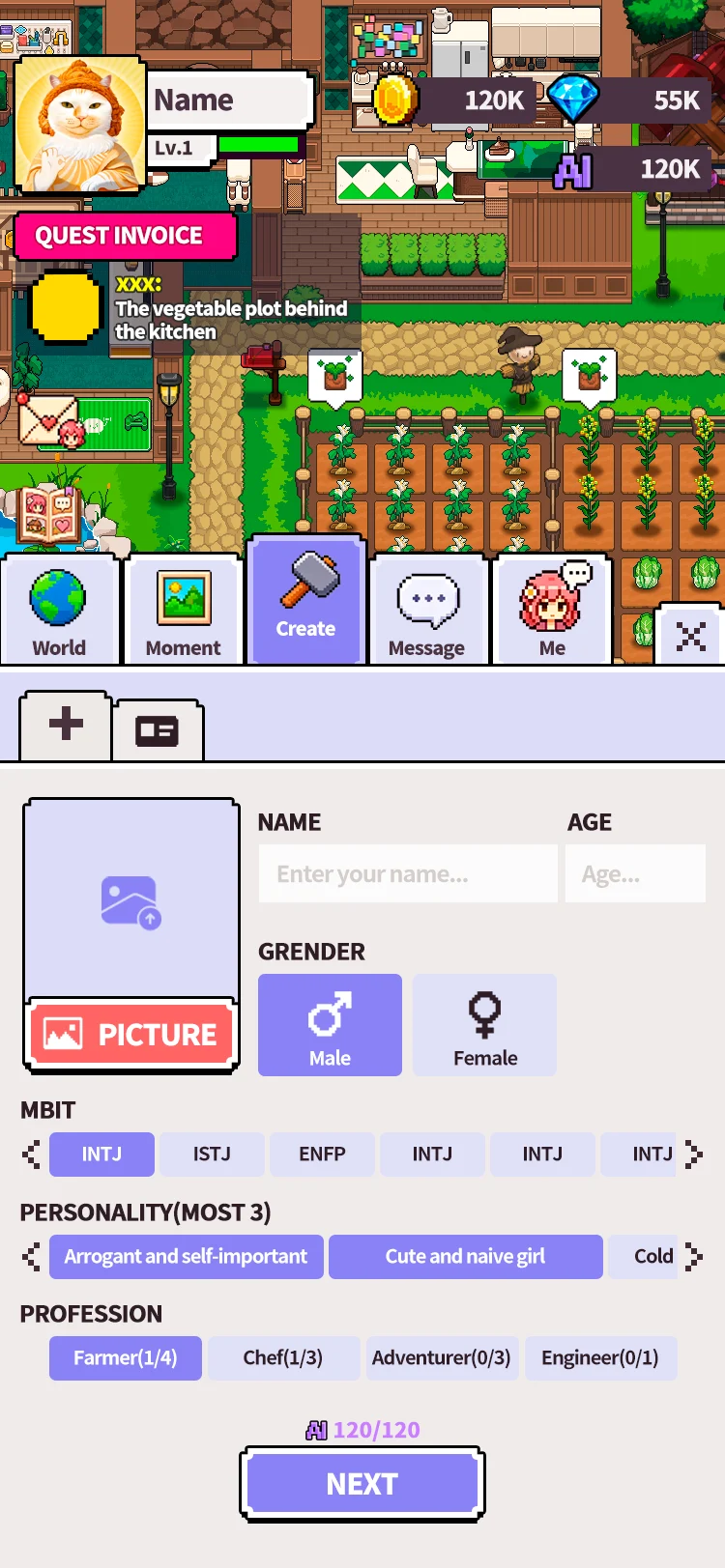
In the Miniwo app, open Create, then choose Picture and select an image of your OC. Use an image you created, own, or have permission to use.
Give your character a name and fill out their personality and profession. Tap Next and follow the prompts to finish creating them.
2. Assign Your Character A Job
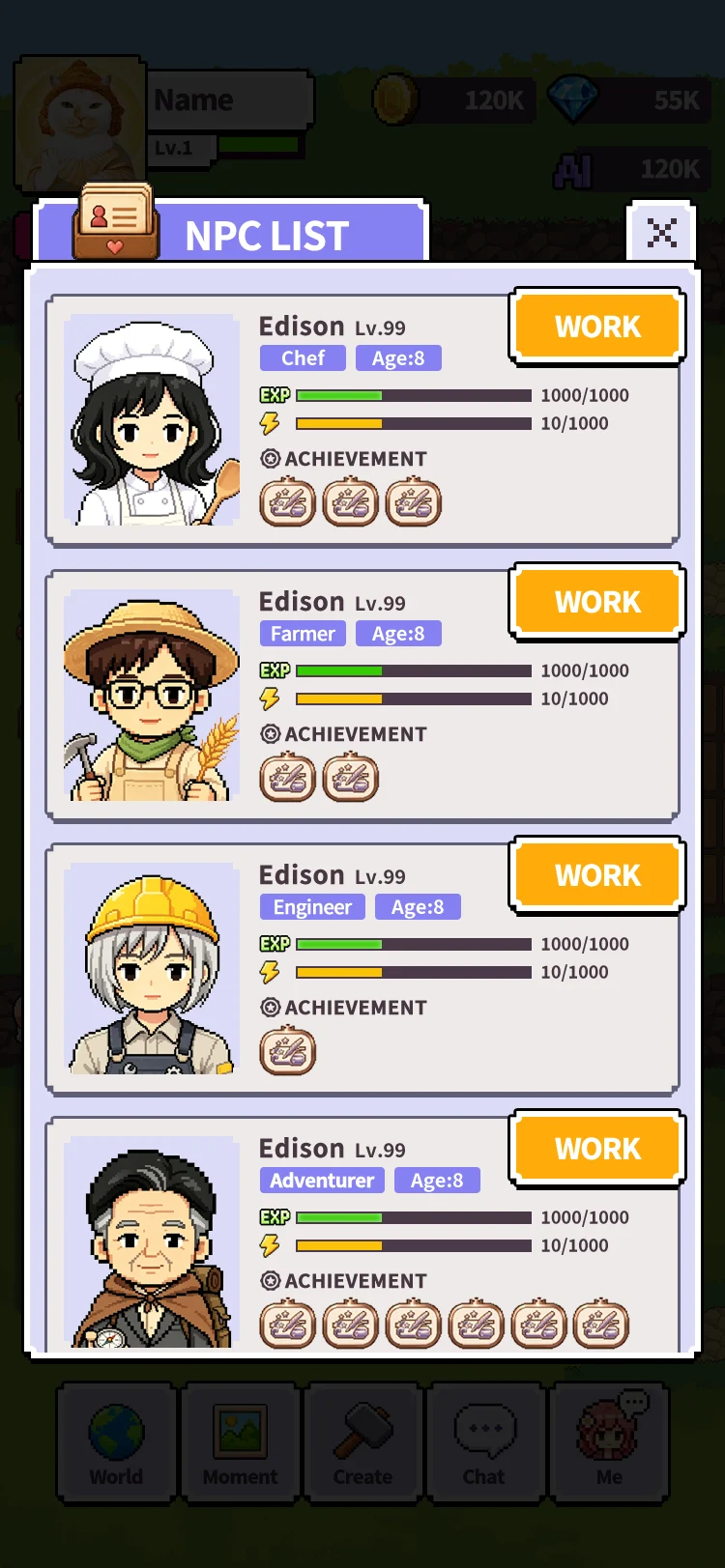
Find your new character in the NPC List and tap Work to assign a task. Farmers grow crops, chefs make desserts, and adventurers explore for resources. Gather materials through work or exploration to use in the AI Workshop.
3. Craft Furniture In The AI Workshop
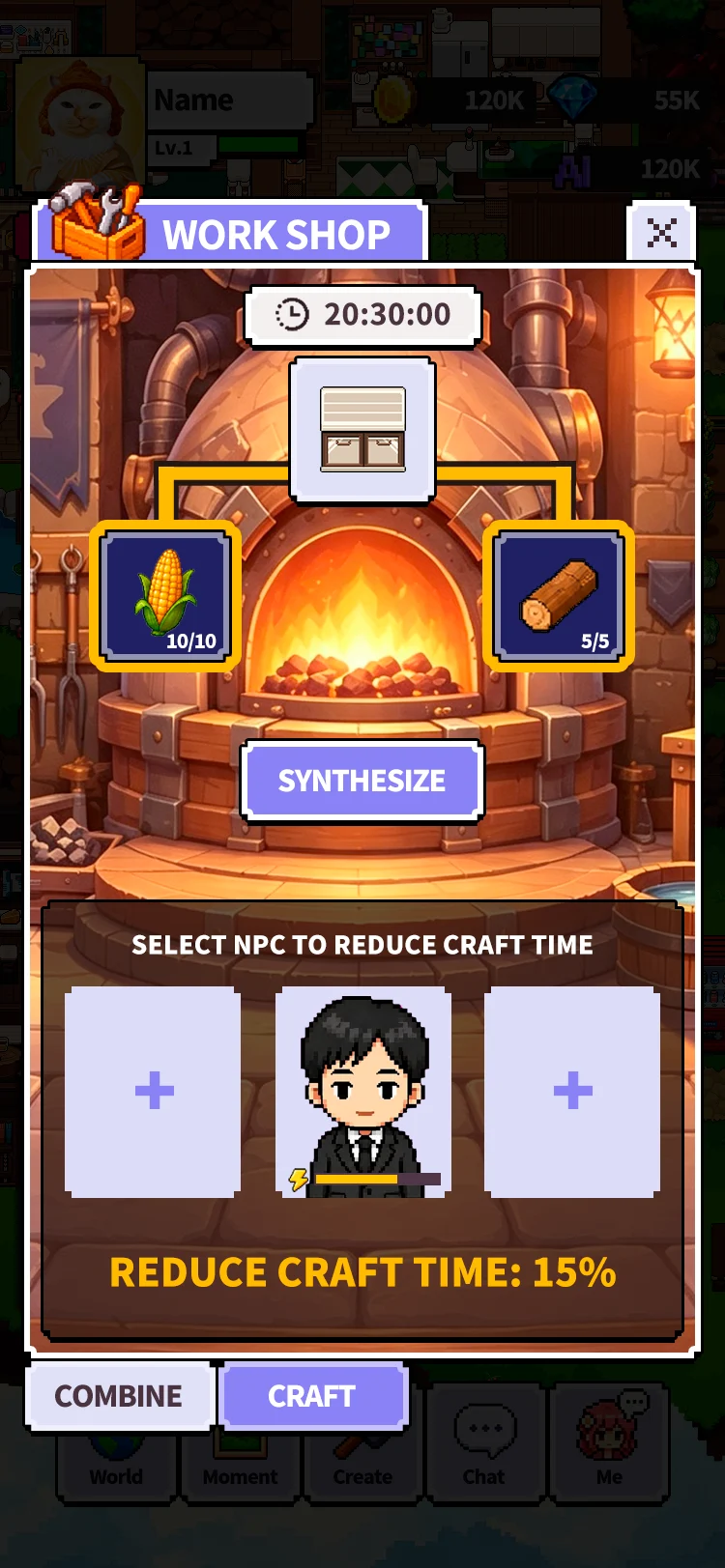
Open the AI Workshop and use resources your characters have collected to craft items for your home. The screenshot shows the Craft tab, where the material slots, furniture preview, and Synthesize button are visible.
For a custom item, combine resources with a prompt that describes the furniture you want to make.
4. Build A World For Your Characters
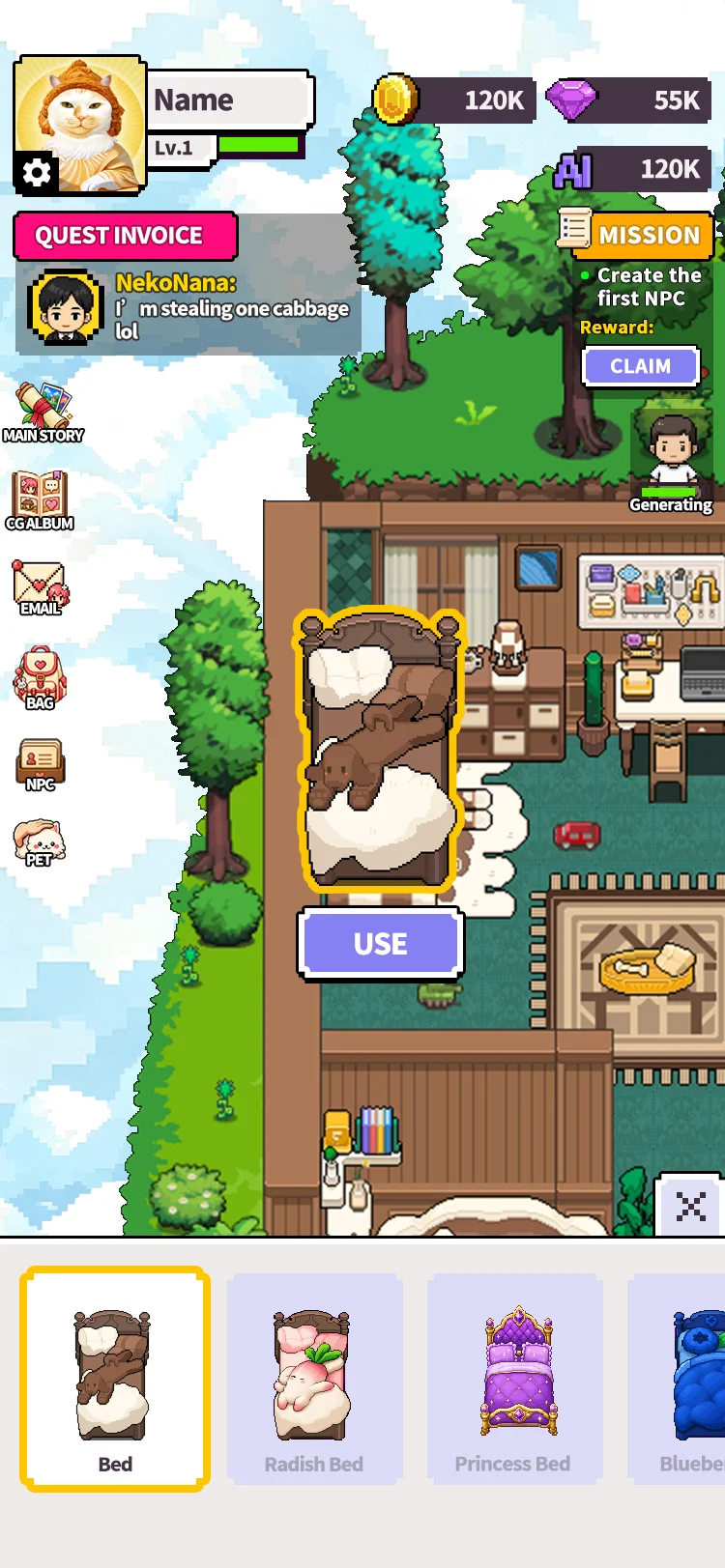
Back in your world, select a piece of furniture and use it to furnish your home. The screenshot shows a bed selected from the furniture tray, with a Use button in the room. Try using the items you craft to give your characters a place of their own.
5. Add Them To The Story Cast
Open a main story chapter and choose your OC for a Story Cast slot. To guide the story, try picking a prop or writing a prompt. A cautious engineer and an impatient explorer might react very differently to the same locked door.
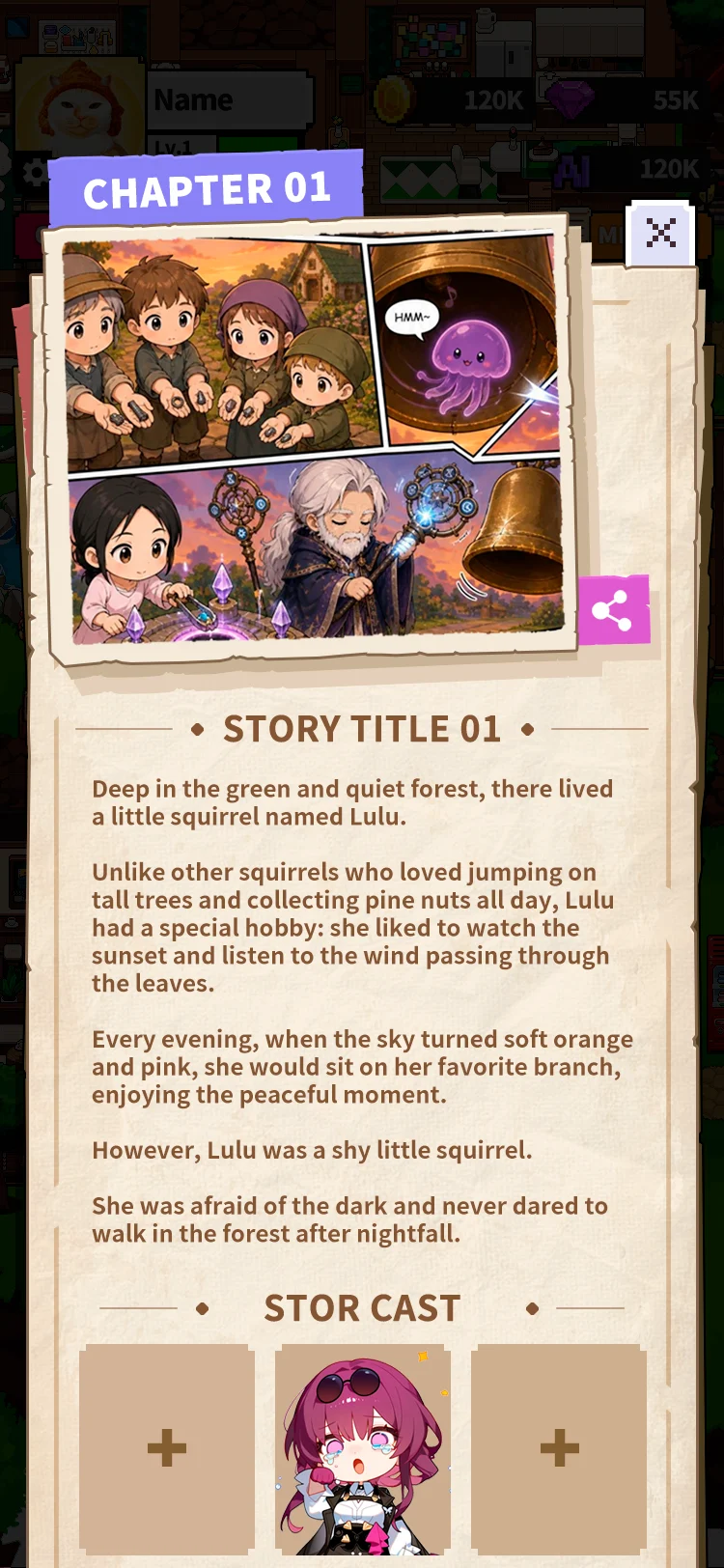
6. Keep And Share A Story Card
When an adventure becomes a Story Card, you can revisit it as a comic and share it as a community post. Other players can read the comic and comment on the post.
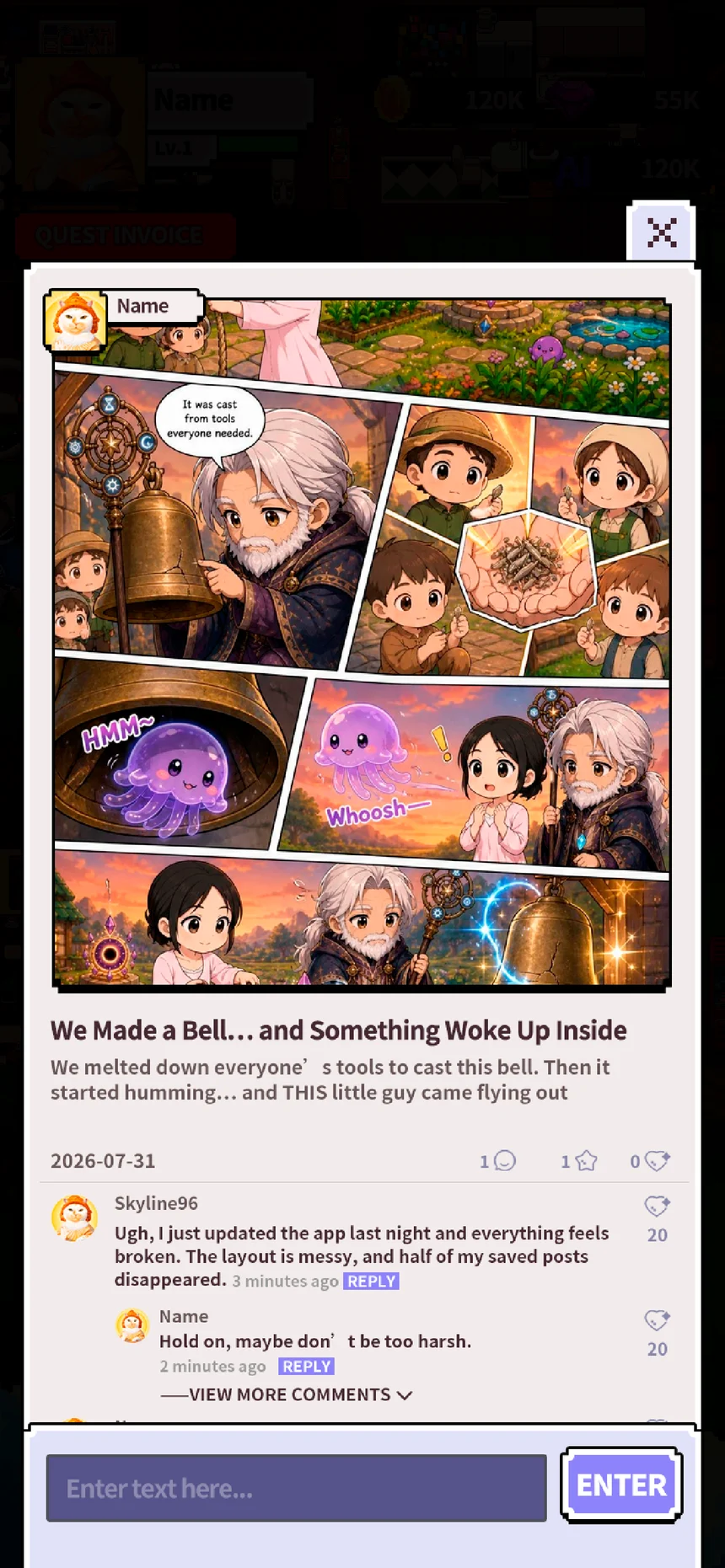
See Three Story Card Examples
These official Miniwo comic examples show the kinds of stories characters can tell. They are not player session records. Each page explains what happens in the comic and which part of the game you can try.